Trading on non-US markets
While most examples use US products (NYSE symbols - default setup), azapyGUI provides support for non-US exchange products.
To access (equity) products from a non-US exchange, first we need to set up the corresponding business calendar.
In Settings/Application Settings/Miscellaneous set the Exchange calendar to corresponding ISO code and press Save button.
Note that this is a persistent setting, and so it needs to be done only once.
For example, if you are in Sweden and
want to trade symbols from Stockholm exchange, then you need to set the Exchange calendar to XSTO.
The list of supported exchange calendars is here.
General information about application settings can
be find here.
Once the Exchange calendar was set, the rest of the application works as usual.
Here is an example of a portfolio with symbols traded on Stockholm exchange.
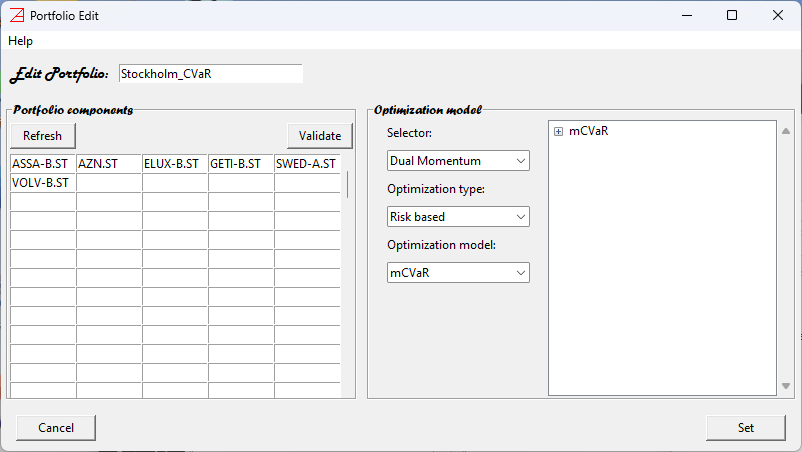
We have used yahoo as market data provider; therefore, all the symbols have the suffix .SL.
Any cash value is understood to be denominated in the Exchange currency. In our Stockholm example
the currency is Sweden Krona. You may also want to adjust the default value of the Capital in the Application Settings.
Note that in some peculiar cases, the Exchange Currency may be different than the Country Currency. For example, the London Exchange currency for equity is penny and not the British Pound (there are 100 pennies, or pence, to the pound).
\(\bf Limitations\).
Mixed portfolios, with symbols from different exchanges denominated in different currencies, are not supported.
Comparisons between portfolios defined on different exchanges (currencies and business calendars) are not supported.
Changing the
Exchange calendarduring a session will reset the market data collection.It is the user’s responsibility to use the appropriate symbols for the chosen exchange (implicitly defined by the exchange calendar).